Nanny hours, overtime, and what to send on Friday
Written for the nanny. If you are the family, the parts addressed to you are marked.
If you only read one thing. Over 40 hours in a week you are usually owed time and a half, and most nannies do not bill it. At $25 an hour a 47-hour week is $1,262.50, not $1,175. Work out the number before you message anyone, send it as a total with the hours shown, and keep a dated log so the number is not a memory. Apps that do this: TrackWork or Nanny Admin free, HoursTracker if you want a private log, none of them file taxes.
Work out what you are owed
Under the Fair Labor Standards Act, a nanny who does not live in the home is a non-exempt employee. Hours over 40 in a week are paid at 1.5 times the regular rate. This is per week, and it does not average across two weeks.
A 47-hour week at $25 an hour
| First 40 hours | 40 × $25.00 | $1,000.00 |
| Overtime, 7 hours | 7 × $37.50 | $262.50 |
| Total | $1,262.50 |
Paid flat at $25 for all 47 hours, that same week is $1,175. The gap is $87.50 for one week, or roughly $4,500 over a year if it happens most weeks.
If you live in the home
Live-in domestic workers are exempt from FLSA overtime, though not from minimum wage. Several states override that:
- California: personal attendants are owed overtime over 9 hours in a day or 45 in a week, under the state's Domestic Worker Bill of Rights.
- New York: live-in domestic workers are owed overtime after 44 hours in a week rather than 40.
- Massachusetts, and others: state domestic worker laws vary and several give live-in workers more than federal law does.
If you live in and you are in one of those states, the federal exemption is not the end of the question. Check your state labor department before assuming you are not owed overtime.
If you are the family: the overtime obligation is yours, not the agency's and not a matter of what you agreed verbally. A salary does not remove it. If you have been paying a flat weekly rate for more than 40 hours, that is the most common way household employers end up owing back pay.
What to send on Friday
The awkward part is rarely the number, it is opening the conversation. Send the total before they ask, as a statement rather than a question, with the hours visible so there is nothing to work out:
Hi [name], here's this week: 47 hours, Monday to Friday. That's 40 at $25 and 7 overtime at $37.50, so $1,262.50 total. Tuesday and Thursday were the late ones. Let me know if that matches what you have.
Two things make this work. Naming the late days shows the number came from a record rather than a feeling. And "let me know if that matches" invites a correction now, which is much easier than disputing a payment later.
If they come back with a lower number, ask which day differs rather than defending the total. A disagreement is almost always about one specific shift, and you can settle one shift.
If they will not pay
In order, and most cases stop at the first step:
- Put the number in writing with the dates and hours, as above. Text or email, not a conversation.
- Ask for a date. "Can you confirm when this will be paid?" A named date is what turns a vague delay into something you can follow up on.
- File a wage claim with your state labor department. Every state has one and filing is free. This is the step most nannies do not know exists.
- Or file with the federal Wage and Hour Division, which enforces the FLSA including household employers. Also free.
There is a deadline. Under the FLSA you generally have two years to recover unpaid wages, or three if the underpayment was wilful. States have their own limits, sometimes longer. Waiting to see if it resolves itself is how people run out of time.
Keeping the record that makes all of this work
Every step above depends on knowing what you actually worked. Research on New York's domestic workforce, cited by the Migration Policy Institute, found only about 13% of nannies there work under a written contract, so for most people the record is two memories.
The law puts the duty on the family. Under 29 CFR 552.110 a household employing a covered domestic worker has to keep hours worked, and that same regulation lets the employer require the worker to record the hours and submit them. So a shared log is not you being difficult, it is the arrangement the regulation describes.
Where the employer kept no adequate records, Anderson v. Mt. Clemens Pottery lets a worker prove the amount owed by reasonable inference rather than exact proof. That is a rule for a wage case, not a weekly disagreement, and it is not automatic. Your own dated notes are what make an estimate reasonable enough to rely on.
Which app to use
| TrackWork | Care.com HomePay Tracker | Nanny Admin | HoursTracker | Payroll services | |
|---|---|---|---|---|---|
| Cost to the nanny | Free | Needs a HomePay plan | Free, $4.99 optional | Free tier, $14.99 once | No nanny access |
| Cost to the family | Free | Not published | Free | n/a | $49 to $232/mo |
| iOS rating | Too new to rate | 2.04 (51) | 4.x (under 10) | 4.8 (~55,000) | n/a |
| Family sees the same record | Yes, after invite | No | Yes | No | No |
| Calculates overtime | No | No | No | Yes | Yes |
| Live timer on Lock Screen | Yes, iOS 16.2+ | No | No | No | No |
| Works in a browser | Yes | Website only | iPhone only | No | Family side |
| Timesheet or invoice out | PDF and spreadsheet | No | Summary export | CSV | Payroll |
| More than one family | Unlimited | One | Nanny focused | 3 free | One |
| Spanish | Yes | No | No | No | Varies |
| Files nanny taxes | No | Yes | No | No | Yes |
Two rows are worth reading against each other. TrackWork does not calculate overtime, and HoursTracker does. If overtime is your main problem and nobody else needs to see the log, HoursTracker is the better tool and it has 55,000 ratings behind it.
What each is for
TrackWork if the family needs to see the same record, or you work for more than one family, or you want a timesheet document at the end. Free on both sides.
Nanny Admin if you want shared records for one nanny job on an iPhone. It does genuinely shared parent and nanny records. It is small, childcare only, and exports a summary rather than an invoice.
HoursTracker if nobody else needs the log. The most established app here by a distance, with overtime calculation and optional geofencing.
Poppins Payroll ($49/mo), HomeWork Solutions ($59 to $155/mo) or GTM (from $70/mo) if the family needs to file nanny taxes. They handle payroll properly. In all of them the nanny has no login and cannot see the hours being paid on.
Care.com HomePay Time Tracker is the one to skip for hours. It sits at 2.04 stars across 51 ratings, still maintained as of early 2026, and the one-star reviews say the core function does not work: There's nowhere for me to put my hours
, The app is literally ONLY a link to the main website
. HomePay's payroll product is a separate and much better regarded thing.
Why the Lock Screen timer is the part that matters
The overtime arithmetic above only works if the hours are right, and the most common way they go wrong is a timer nobody stopped. You clock in at 8, the day happens, and Friday's total says 11 hours for a day that was 9. Overstating is as damaging as understating, because you have to keep working for this family afterwards.
On an iPhone running iOS 16.2 or later, a running session shows on the Lock Screen and in the Dynamic Island with the family's name and the time counting up. You see it every time you pick up your phone. A session still running at 7pm is obvious that evening rather than on payday.
Two limits, said here rather than buried in the FAQ. There is no automatic stop, so you tap both ends. And manual entries only go back 30 days, which is shorter than many pay disputes. If you are reconstructing something older than a month, use the printable hours log instead and keep the paper.
What the family actually has to do
Worth knowing before you ask them, because "download an app" is a bigger ask than it sounds.
- You add them and share an invite code. They do not need the iPhone app; the web version works in any browser.
- They create a free account to see the record. That is the whole commitment, and it is free for them.
- They see date, start, end, length and amount for their own sessions only. Nothing about your other families.
- They can see the record. There is no approve or sign button, so this is visibility rather than agreement.
- If they never accept, your log still works. Most families never do, and that is fine.
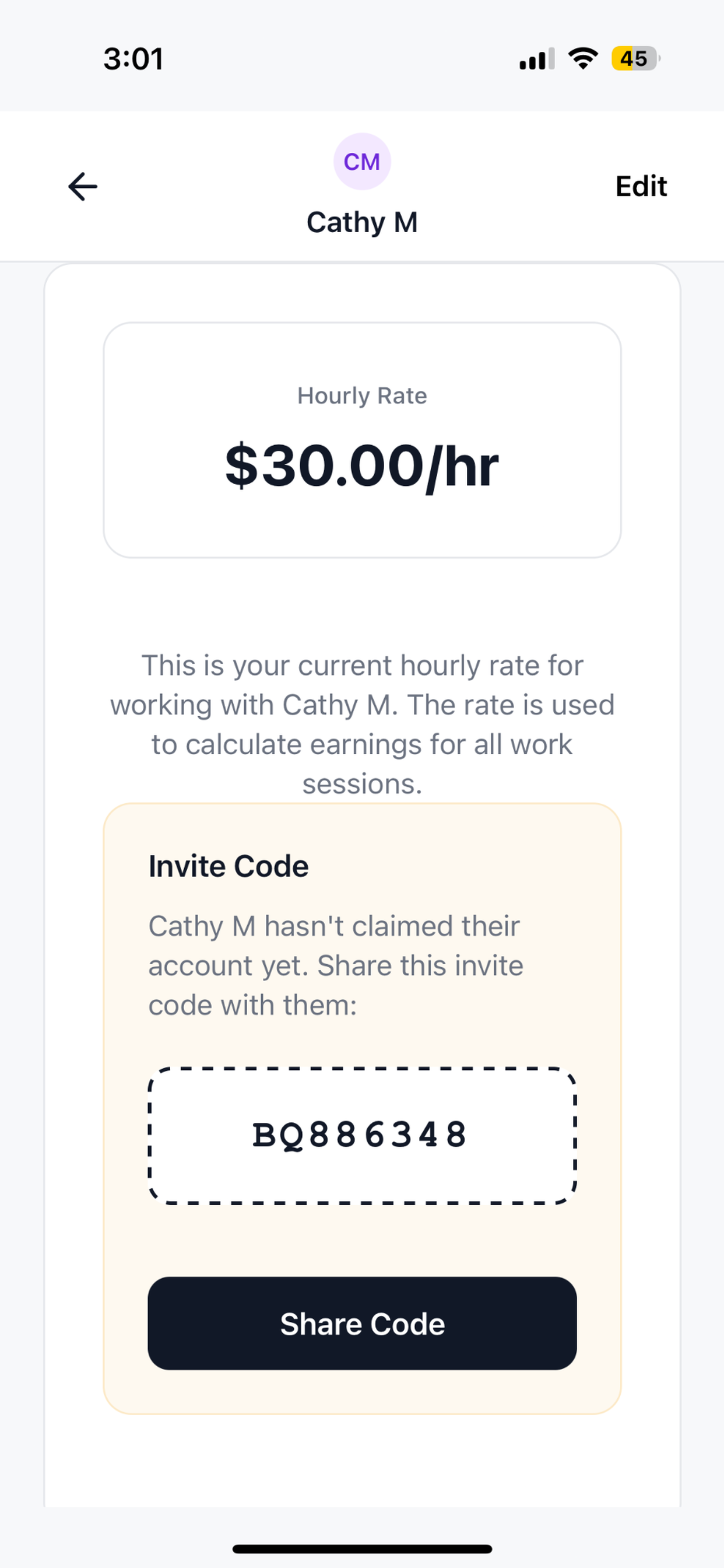
Free, and it takes about a minute
Add the family, set the rate, tap start. English and Spanish.
Common questions
Do nannies get overtime?
A nanny who does not live in the home is a non-exempt employee under the FLSA, so hours over 40 in a week are paid at 1.5 times the rate. Live-in nannies are federally exempt from overtime, but California, New York, Massachusetts and other states override that.
Does a salary get around overtime?
No. Agreeing a flat weekly rate does not remove the obligation for hours over 40. It is the most common reason household employers end up owing back pay.
How do I calculate nanny overtime?
Hours up to 40 at the normal rate, then every hour above 40 at 1.5 times. Per week, not averaged across a fortnight. At $25 an hour, 47 hours is $1,000 plus $262.50, so $1,262.50.
What if the family disputes my hours?
Ask which day differs rather than defending the week. Disputes are almost always about one shift. If it does not resolve, put the number in writing, ask for a payment date, then file with your state labor department or the federal Wage and Hour Division. Both are free.
How long do I have to claim unpaid wages?
Generally two years under the FLSA, three if the underpayment was wilful. State limits differ and are sometimes longer. Check early rather than late.
What is the best free nanny hours app?
TrackWork or Nanny Admin if the family should see the same record. HoursTracker if it is only for you and you want overtime calculated.
Is TrackWork free, and how does it make money?
Free to use, and free for the family too. It is a small independent app rather than a venture-funded one. There is no advertising and no selling of data, and if that ever changes it will say so plainly.
I forgot to start the timer. How far back can I add it?
30 days. For anything older, use the printable log and keep the paper copy.
Can I track more than one family?
Yes, unlimited, each with its own rate, and each family sees only their own sessions.
Does any of this handle nanny taxes or a W-2?
Only the payroll services. For 2026 the household employer thresholds are $3,000 in cash wages to one employee for Social Security and Medicare and $1,000 in a quarter for FUTA, per IRS Publication 926. Note the IRS wants a record of wages; the FLSA is what wants hours.
Do I need a written work agreement?
In some places it is required. Nevada and New Jersey require one, Philadelphia once a worker does more than 5 hours a month for the same employer, and Washington from July 2027 at 4 or more hours a month. Elsewhere it is not required and still worth having.
Does the family have to install anything?
No. There is an iPhone app, and the web version works in any browser.
Does it track my location?
No. The app never requests or stores location.
Is there an Android app?
Not yet. The web version works in any mobile browser.
Related
- Printable hours worked log, for anything older than a month.
- Hours across several clients, if you also clean or care on a self-employed basis.
- Free invoice generator, no signup.