Invoicing built from the hours you already tracked
Pick the work, send the invoice. Free, in any currency, in English and Spanish.
Your hours, already on the invoice
Pick a client and the unbilled work is there with dates, durations and what each session was for. Nothing to retype, nothing to remember.
Create an invoice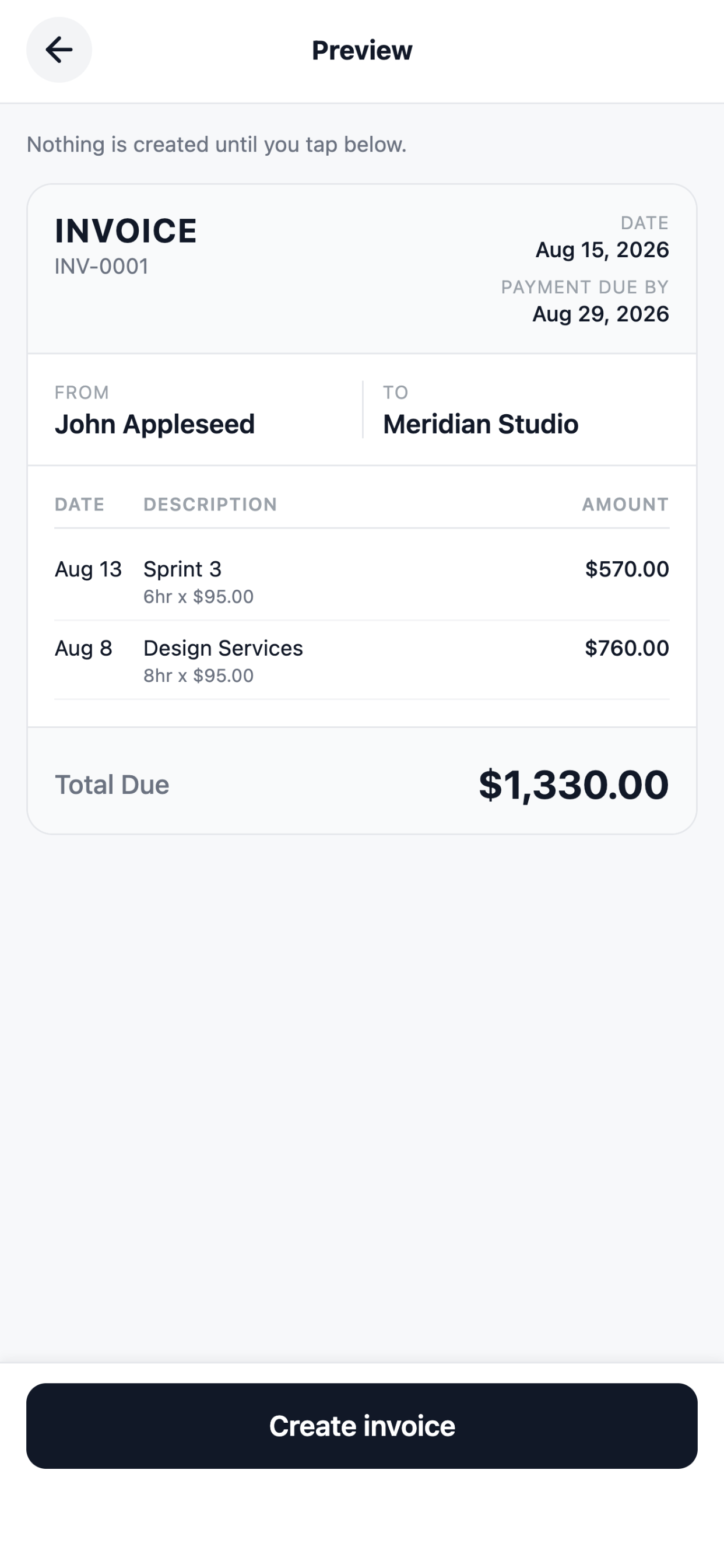
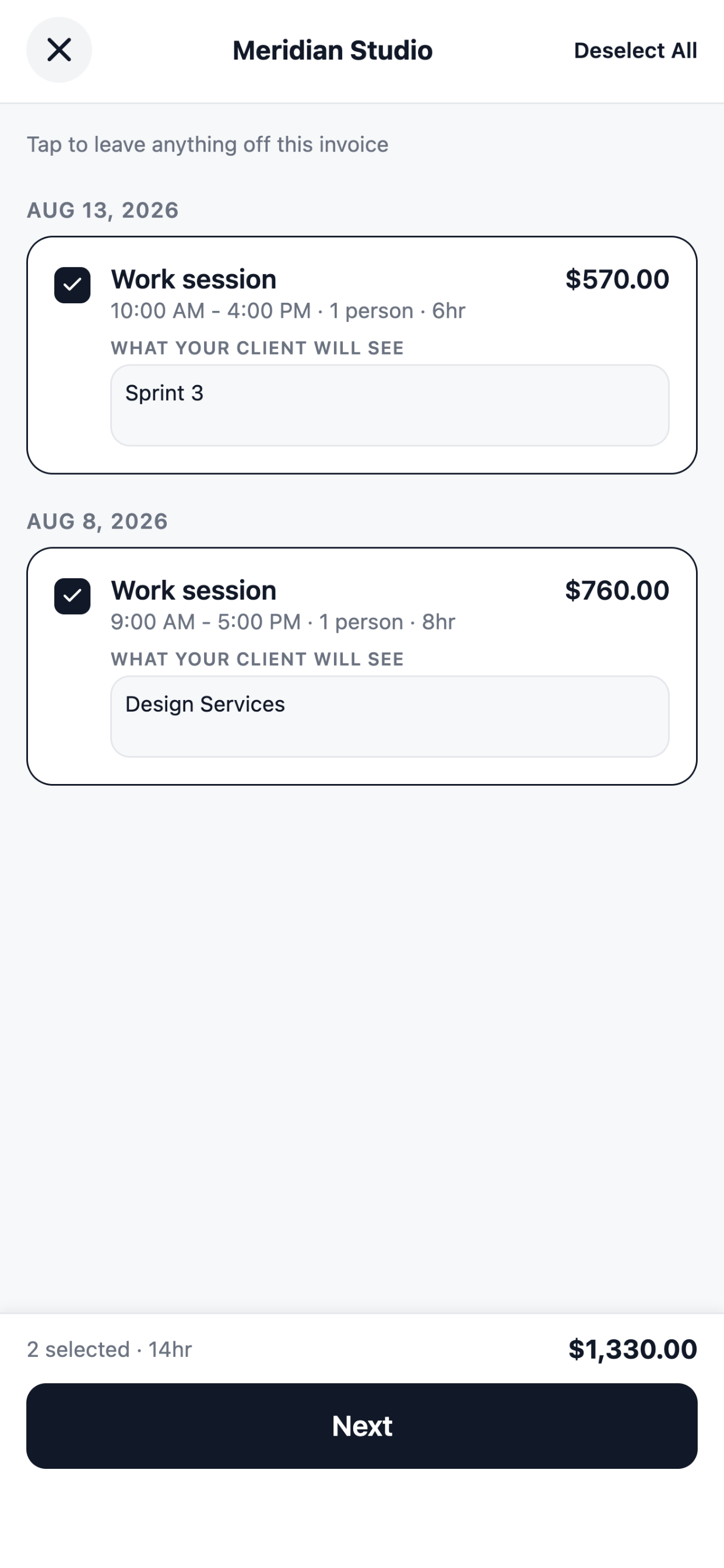
Bill some of it, or all of it
Tick the sessions going on this invoice and leave the rest for next time. The total updates as you choose.
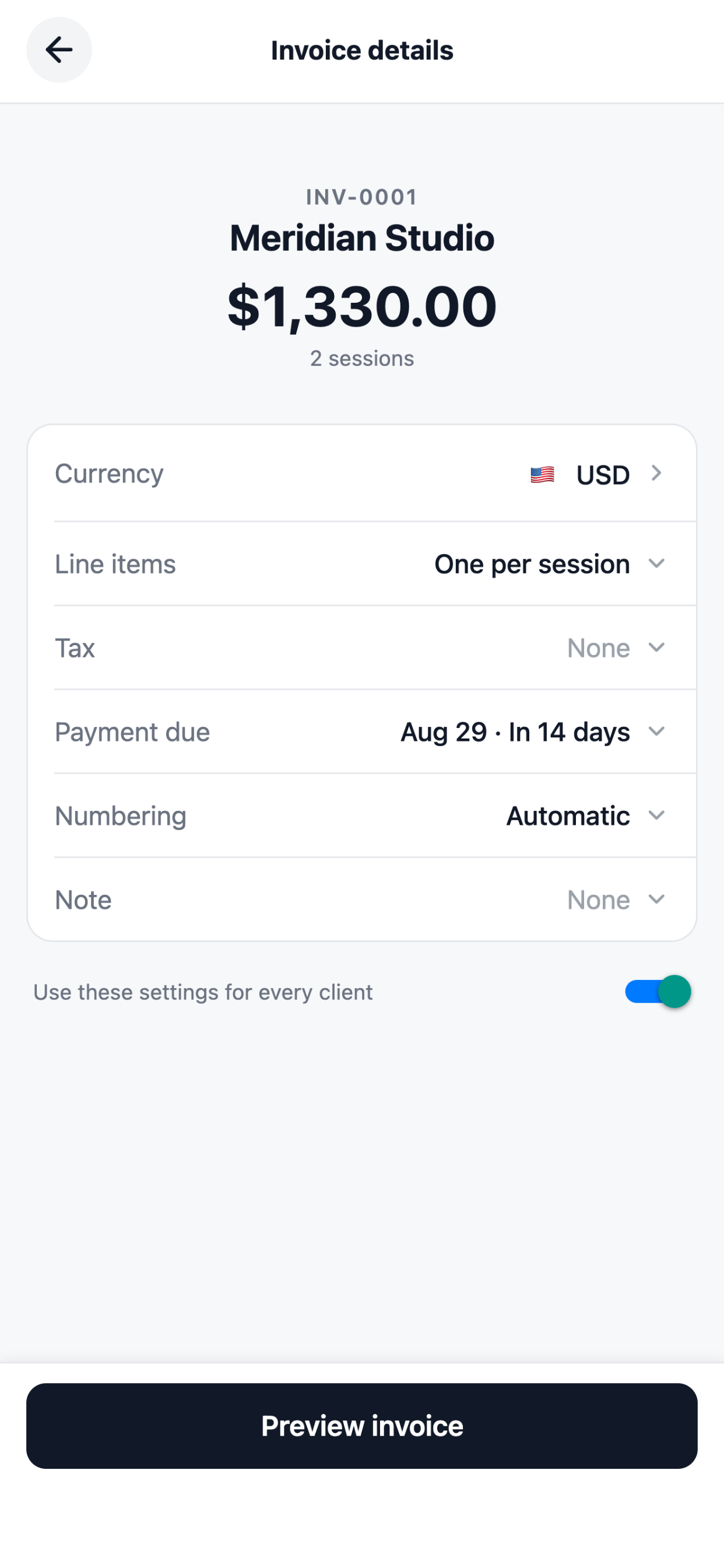
Your currency, your tax, your numbering
VAT, GST and sales tax behave differently and the invoice reflects that, including rates that already include tax. Set a prefix and a starting number and it carries on from there.
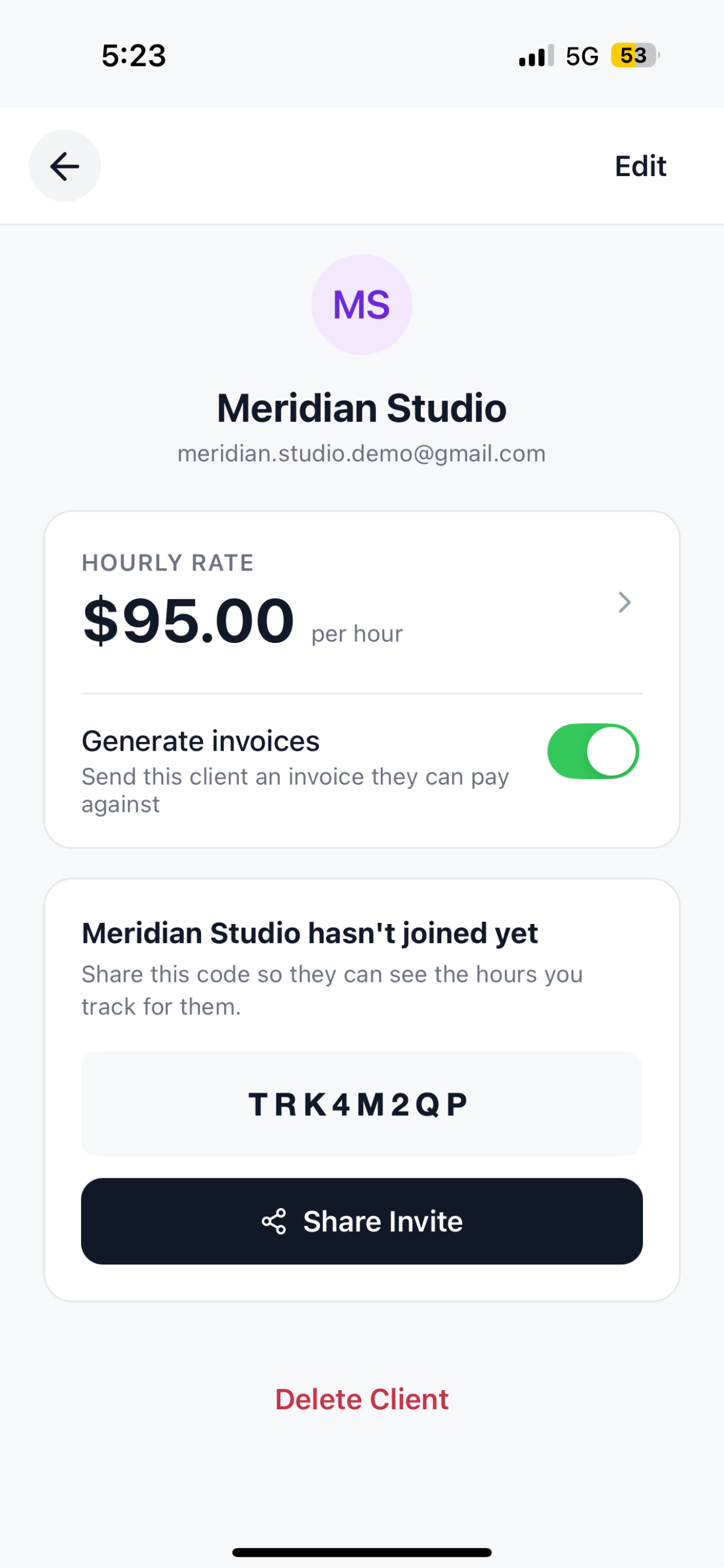
A PDF, not an app invite
You send a PDF however you already talk to them: text, email, WhatsApp. They open it like any other attachment, with no account and nothing to install.
Everything in the invoicing
- Built from your sessions. Dates, durations and notes become the lines.
- 78 currencies. Rounded to the digits the currency actually has, so a yen total never grows a decimal point and a Bahraini dinar keeps its three.
- Tax done properly. Name it, rate it, and say whether your prices already include it.
- Your numbering. A prefix and a next number that continues where you left off.
- Payment terms. Net 14, net 30, whatever you use, with the due date worked out.
- Payment instructions. Saved once, printed on every invoice.
- A PDF you can send anywhere. Text, email or WhatsApp, with nothing for them to install.
- Payments recorded. Mark an invoice paid and watch the outstanding total drop.
- English and Spanish. The invoice itself, not just the app around it.
- Free to use. No per-invoice charge, and no card details anywhere.
Questions
Is it really free?
Yes. TrackWork is free to use, and we record payments rather than moving money, so nothing you are owed passes through us.
Do I have to track time first?
No. Enter work after the fact, or use the generator for a one-off with no account.
Does my client need the app?
No. You send them a PDF, and they open it like any other attachment.
Can I edit an invoice after sending it?
Once the work is on an invoice the times and amounts are fixed. The description stays editable.
Send your first invoice today
Free to use. TrackWork records payments and never processes them, so there is no transaction fee and no card details anywhere.